Automation
The spreadsheet in the middle
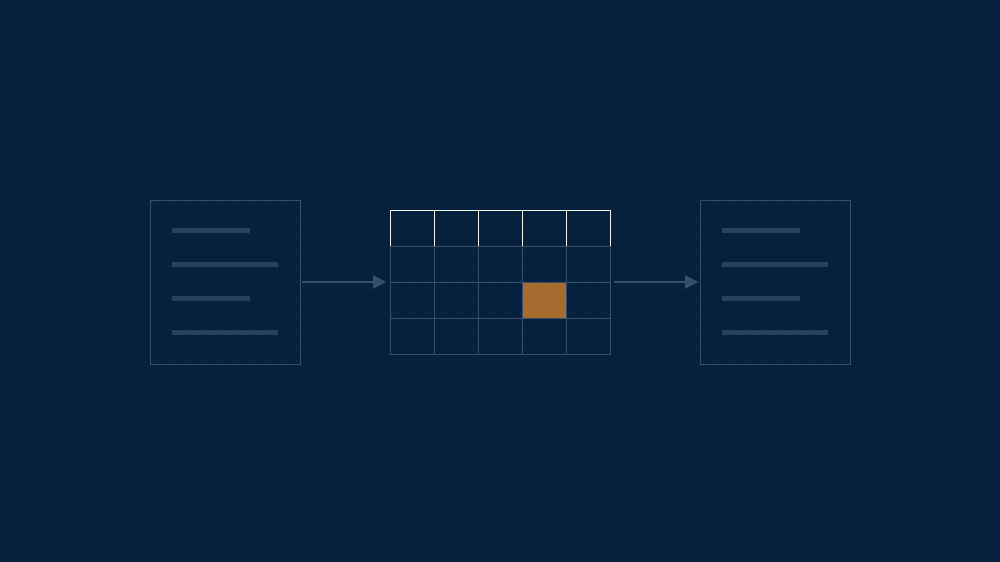
Between any two systems that do not talk to each other, there is a file. It is usually a spreadsheet. It has one owner, it gets updated on a Monday, and it holds at least one thing that exists in neither system. Everybody knows it is not ideal. Nobody has quite been able to say what is wrong with it, because it works.
It exists for a good reason
The file was the right decision at the time. Two systems bought years apart to do different jobs, a join between them needed by Thursday, and a proper integration that would have taken a quarter and a budget round. Somebody solved the problem in an afternoon for nothing.
That was good judgement, and treating it as a lapse in discipline gets the diagnosis wrong before you start. What has changed is not the decision. It is how long the file has been load-bearing.
What it actually costs
- It has no owner in the sense that matters: somebody is responsible for updating it, nobody for it being right
- It has no history, so when a figure changes there is nothing to say who changed it or why
- It holds fields that exist nowhere else, which means it is not a copy of the truth; in places it is the truth
- One person understands the formulas, and their annual leave is a business risk nobody has written down
The cost is rarely the time spent maintaining it. It is the day somebody makes a decision from a version that was correct last week. Reports depend on the file being right, which means the business is depending on something nobody designed to be depended on.
Read it before you replace it
The instinct is to retire the file. The better first move is to read it closely, because it is the most accurate specification of your process that anyone has ever written down.
Every column that exists in neither system is a requirement. Every manual correction is a rule your systems do not know. Every tab named something like “do not touch” is an exception somebody hit and handled. An integration built from the two systems’ documentation will miss all of it. An integration built from the spreadsheet will not.
Decide who writes
The blocking question is not technical. For each field, one system has to be allowed to write it and the other has to accept what it is given. That decision usually crosses a departmental line, which is why this work stalls in meetings rather than in code.
Make the call explicitly, field by field, and write it down. Which system owns the client name? The status? The invoice value? The delivery date? One writes it and the others accept it. “Both, depending” is how you end up with a spreadsheet in the middle.
One direction at a time
Two-way synchronisation is where integrations go to fail: two systems both able to change the same field, and a conflict rule nobody thought through. Start with one direction. Take the flow that carries the most retyping, prove it over a few weeks, and only then look at the return leg. Often you find nobody needed it.
Keep the file until it is boring
Run the replacement alongside the spreadsheet for a full cycle and compare the two. The mismatches are your remaining requirements, arriving late but arriving. When a month passes with no difference worth investigating, the file has become a copy of something else, and that is the moment it can be retired, with the person who maintained it able to say so out loud.
Whoever maintained the file understands the process better than anybody else in the building, and their reading of the mismatches is part of the migration rather than a courtesy. They are the ones who will recognise the case the new process has quietly missed.
What you are left with is not only an integration. It is a written account of how the join works, which the file had been holding silently for years. Done properly, the spreadsheet goes because nothing needs it any more, not because somebody finally got tired of looking at it.
Keep reading
More insights.

AI & Data
When AI stops answering and starts doing
AI & Data
Teaching an assistant how your firm does something

AI & Data
A seat for everyone, or a system that does the work

Strategy
Where client information goes when you use AI